In today’s fast-evolving development ecosystem, cross-platform tools are no longer optional—they’re essential. Kotlin Multiplatform (KMP) stands at the forefront, enabling developers to write shared business logic for Android, iOS, desktop, and web apps using a single Kotlin codebase.
This guide walks you through building your first Kotlin Multiplatform app with shared logic and native UI for Android and iOS. You’ll learn how to structure your project, implement common logic, and use Kotlin’s powerful expect/actual mechanism.
What is Kotlin Multiplatform?
Kotlin Multiplatform (KMP) is a technology from JetBrains that allows developers to share code between multiple platforms like Android, iOS, Web, macOS, Windows, and Linux. Unlike other frameworks that try to abstract the UI as well, KMP is best used when you want to:
- Share business logic, data models, and utility functions
- Keep native UI to maintain a platform-native experience
- Reduce code duplication while increasing maintainability
Why Use Kotlin Multiplatform?
- Code Reuse: Share up to 70–90% of your codebase between Android and iOS
- Native Performance: Native UI is preserved for the best experience
- Flexibility: Perfect for teams that need full platform access
- Great IDE Support: Fully supported in IntelliJ IDEA and Android Studio
Setting Up Your First KMP Project
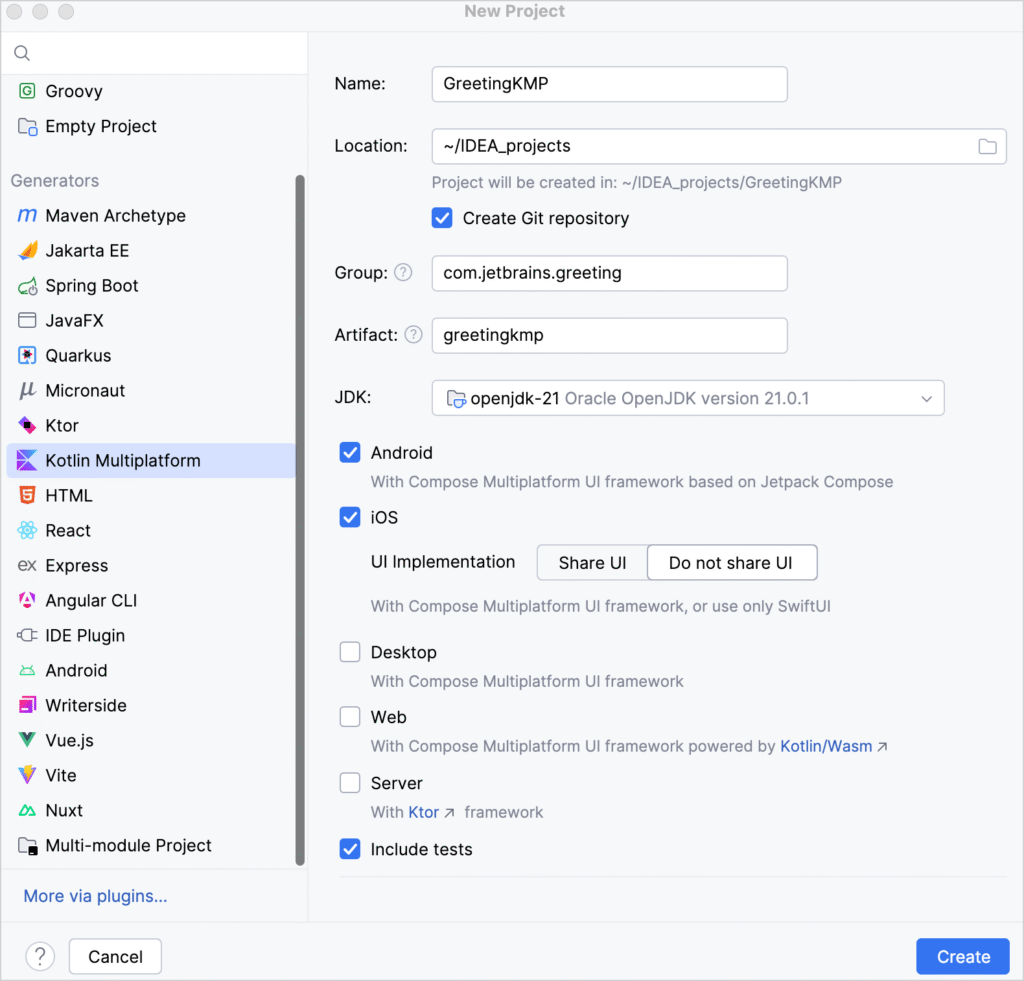
Step 1: Create a New Project
- Open IntelliJ IDEA
- Go to
File > New > Project - Select Kotlin Multiplatform
- Fill in the following:
- Name: GreetingKMP
- Group: com.example
- Artifact: greetingkmp
- Select targets: Android + iOS (select “Do not share UI”)
Note: Don’t upgrade the Android Gradle Plugin beyond what KMP currently supports.
Step 2: Understand the Project Structure
GreetingKMP/
├── shared/      → Common business logic
├── composeApp/  → Android app (Jetpack Compose UI)
└── iosApp/      → iOS app (SwiftUI or UIKit UI)
Write Shared Logic
Open the file Greeting.kt and add:
class Greeting {
    private val platform = getPlatform()

    fun greet(): String {
        return "Hello, ${platform.name}!"
    }
}
Add randomness for variety:
import kotlin.random.Random

fun greet(): String {
    val firstWord = if (Random.nextBoolean()) "Hi" else "Hello"
    return "$firstWord, ${platform.name.reversed()}!"
}
Use expect / actual for Platform Logic
// commonMain
expect fun getPlatform(): Platform

interface Platform {
    val name: String
}
In androidMain:
actual fun getPlatform(): Platform = AndroidPlatform()

class AndroidPlatform : Platform {
    override val name = "Android ${android.os.Build.VERSION.SDK_INT}"
}
In iosMain:
actual fun getPlatform(): Platform = IOSPlatform()

class IOSPlatform: Platform {
    override val name: String =
        UIDevice.currentDevice.systemName() + " " + UIDevice.currentDevice.systemVersion
}
Run Your Application
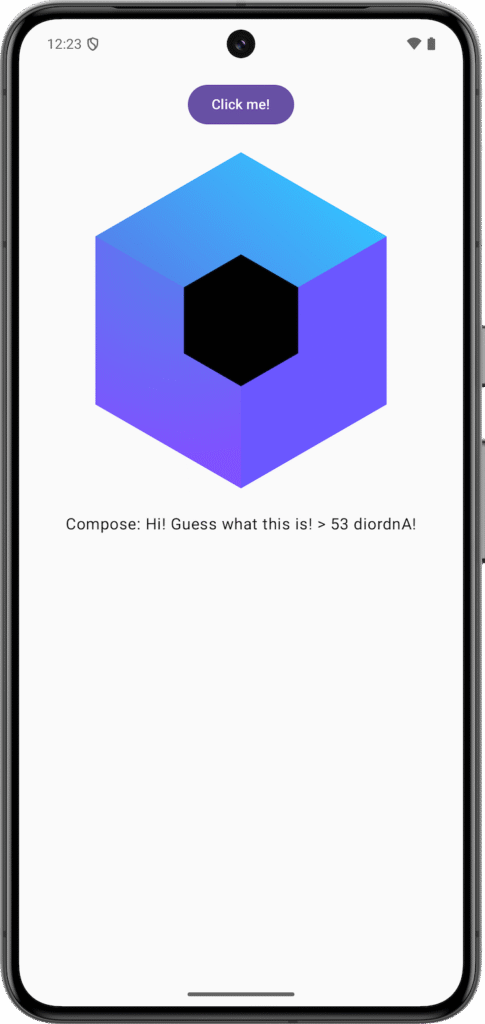
On Android:
- Select
composeAppfrom the run configurations - Choose an emulator or connected device
- Click Run
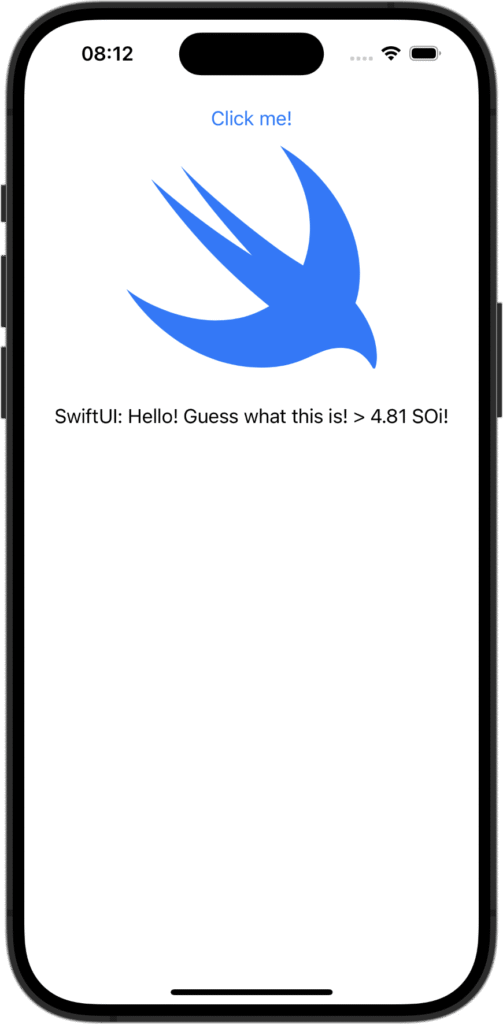
On iOS:
- Open Xcode at least once
- Select
iosAppand run on simulator
Conclusion
Kotlin Multiplatform enables the best of both worlds—shared business logic and native UI. You keep platform-specific look and feel while reducing code duplication and increasing maintainability. It’s a powerful, flexible solution that fits into modern app development workflows with ease.